DocsUse TapSift
Saved session history
Keep a session on disk, then reopen it in the TUI or query it from the CLI after TapSift restarts.
Before you start
History is opt-in. Nothing is saved unless you start a recording. No data leaves your machine.
Steps
1. Record. In the TUI, press s to start private session recording and s again to stop. Starting saves the unfiltered window TapSift already holds, plus later capture. Or start at launch:
tapsift --device emulator-5554 --app com.example.app --saveThe CLI works the same way. On the demo:
tapsift query --demo --save2. List sessions:
tapsift history list3. Inspect one session:
tapsift history show --id SESSION_ID4. Reopen it. In the TUI press h to open the saved sessions picker without contacting a device, or:
tapsift --session SESSION_ID5. Query it with the same filters and budgets as any other source:
tapsift query --session SESSION_ID --level E --max-bytes 4096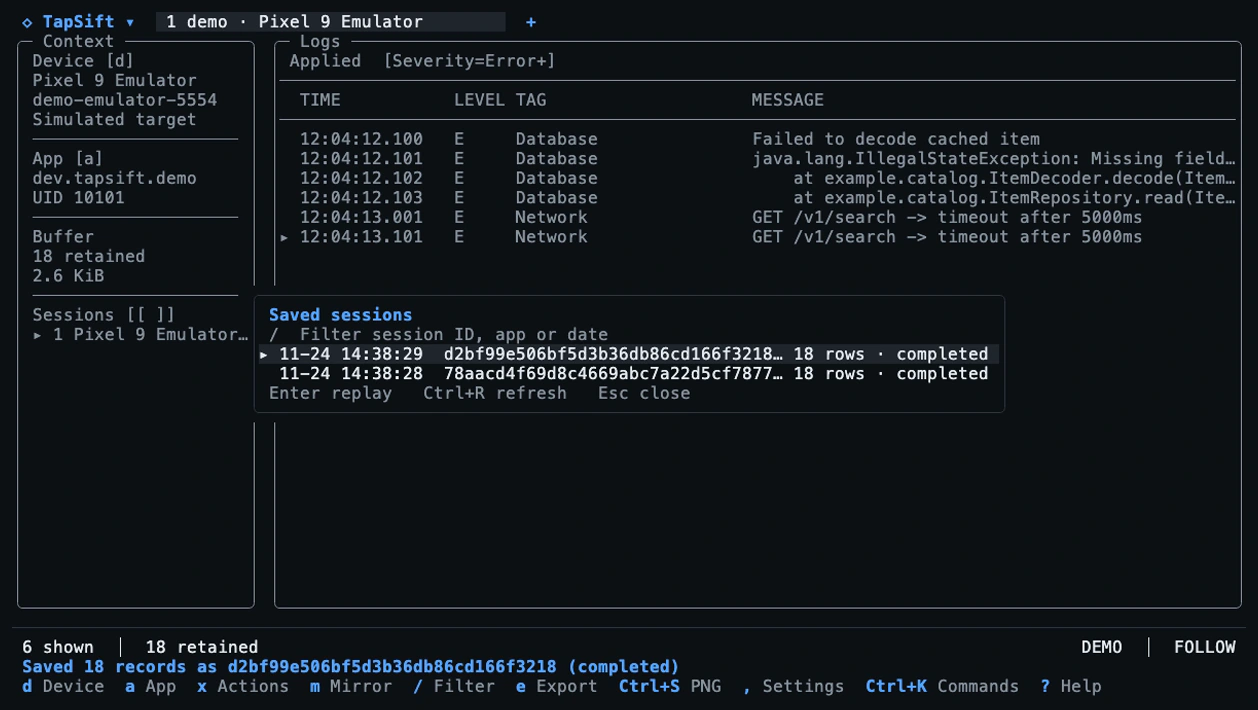
Use --history-dir PATH on any of these commands to choose a different store.
What you should see
history list prints a JSON array. This is a session recorded by tapsift query --demo --save. The ID and times are different on your machine:
[{"id":"7ed41f9079ed2cdeca46180acdb84cdf","source":"demo","scope":"synthetic","started_at":"2026-11-24T09:02:01.375802Z","ended_at":"2026-11-24T09:02:01.406603Z","status":"completed","records_saved":18,"records_dropped":0,"event_bytes":4705}]With no sessions yet, it prints an empty list:
[]history show --id prints the same object for one session. query --session returns the normal query result for the source history, with a history block describing the session first.
Where history lives
The default store is a tapsift/history folder inside your OS user configuration directory. --history-dir PATH overrides it. Each session is a private directory (0700) with manifest.json and events.jsonl (0600). Unsafe paths, symlink substitutions and overly broad permissions fail with an error, so a custom --history-dir must be a private directory (mode 0700).
Session status
| Status | Meaning |
|---|---|
recording | A writer is active |
completed | The source ended normally, for example the end of a file or demo |
interrupted | Capture ended unexpectedly. Records committed before that stay readable |
error | Capture or a write failed. Error state is kept |
Limits
| Limit | Value |
|---|---|
| One session | 16 MiB of encoded events and 50,000 records |
| Whole store | 128 MiB and 50 sessions |
| One encoded event | 1 MiB |
| TUI replay view | The normal 10,000-record, 16 MiB window. A longer saved session shows evictions |
- Recording keeps a bounded prefix of what was observed. It is not a complete device history. Records dropped at a cap are counted in
records_dropped. - Recording is independent of display filters and query budgets.
- At quota, new saves are refused and existing sessions stay. There is no automatic deletion or expiry yet. To clean up, stop recordings, close TapSift, then remove whole session directories yourself. Do not edit an active file or separate it from its manifest.
- Replay is read-only. App Actions are disabled for replayed sessions.
- Saved files can contain credentials, personal data and device identifiers. Permissions and terminal sanitization do not redact or encrypt them. See Privacy and limits.
Redaction, shareable attachments, bookmarks and cursor paging are planned. See the roadmap.