DocsReference
Themes and iTerm import
Change TapSift's colors with a built-in palette, your terminal's ANSI colors, or an iTerm2 preset.
Before you start
Nothing special. Themes work in the demo: tapsift --demo.
Steps
In the app: press , to open Settings, select Appearance with Tab or a click, choose a palette and press Enter. The palette applies to all session tabs for the current run. Your terminal profiles and saved preferences stay unchanged.
From the command line:
tapsift --demo --theme github-light
tapsift --demo --theme catppuccin-mocha
tapsift --theme terminal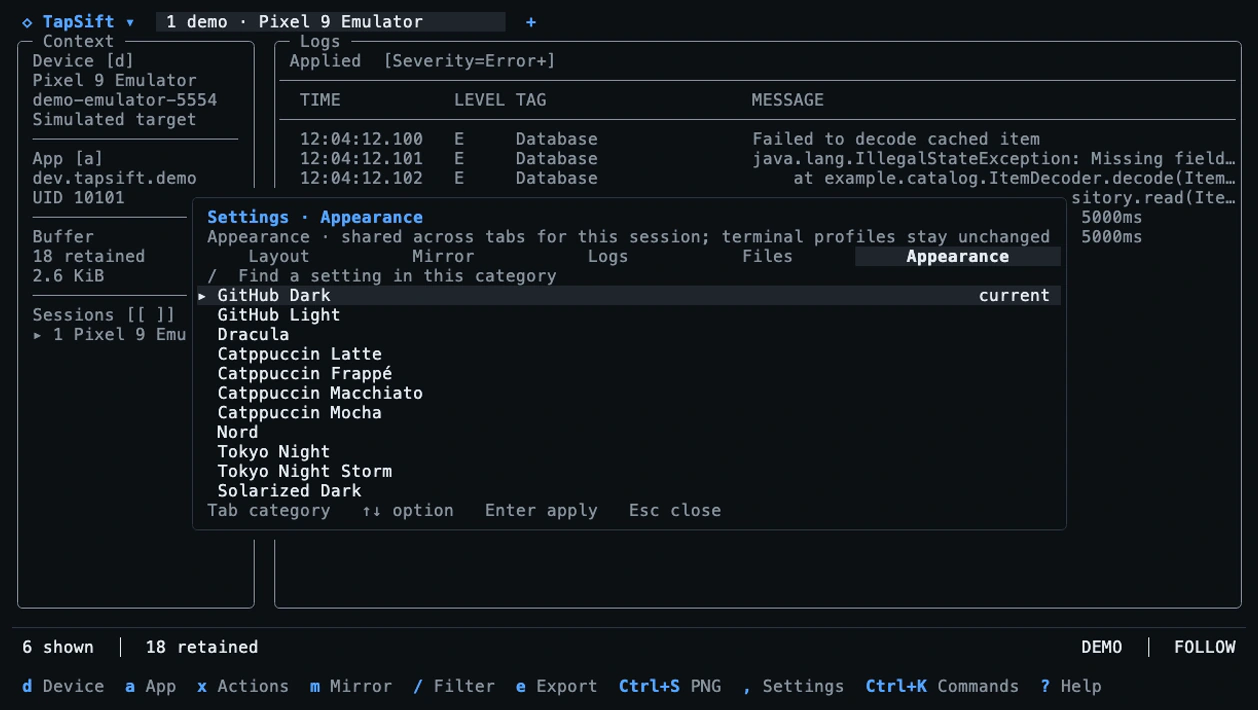
Palettes
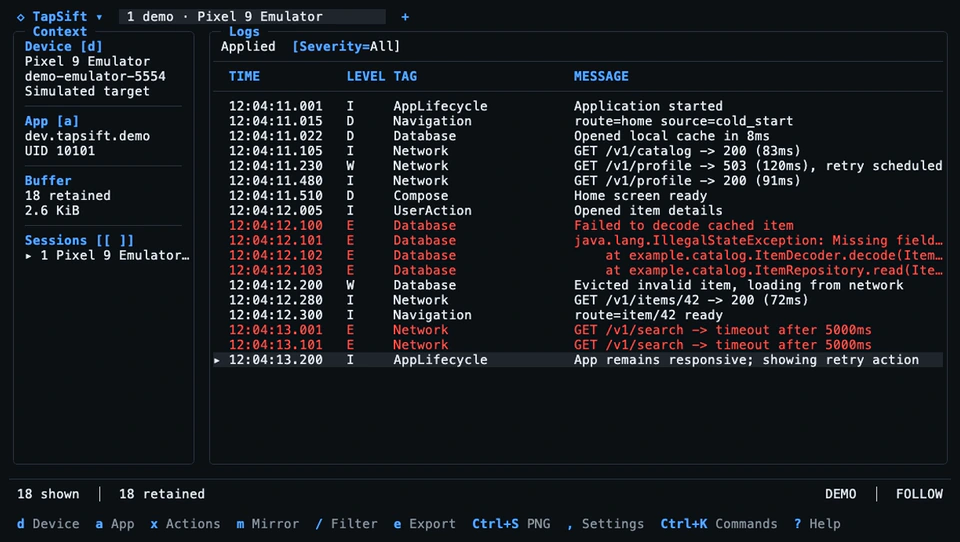
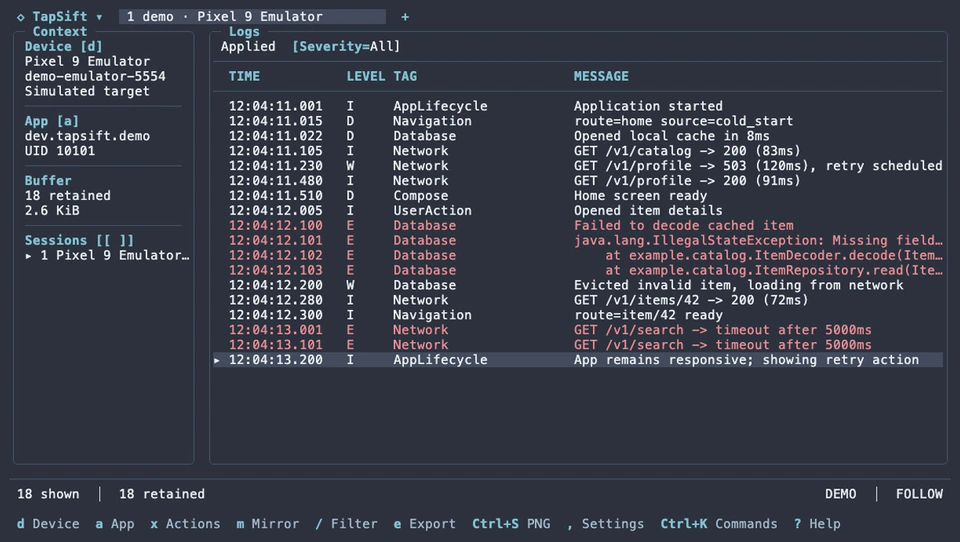
GitHub Dark is the default.
| Palette | --theme value | Look |
|---|---|---|
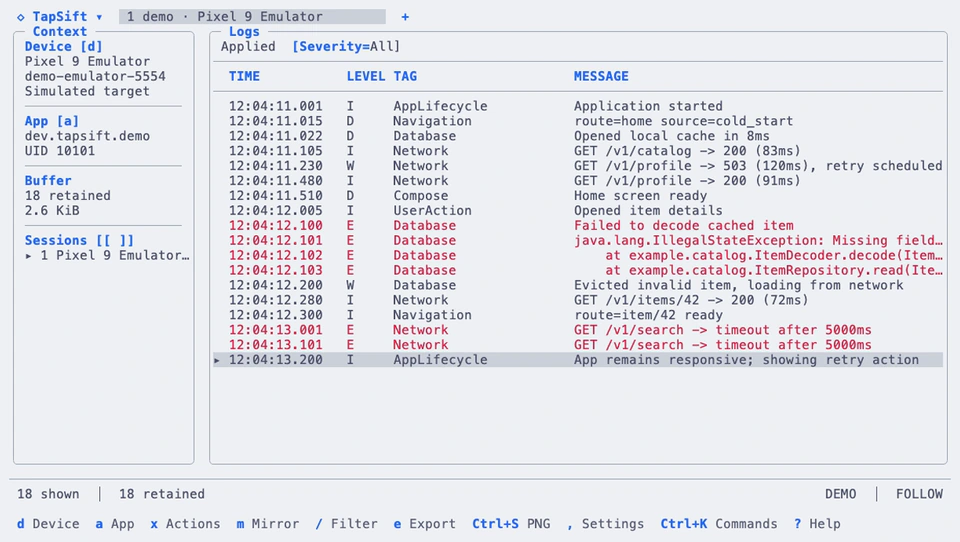
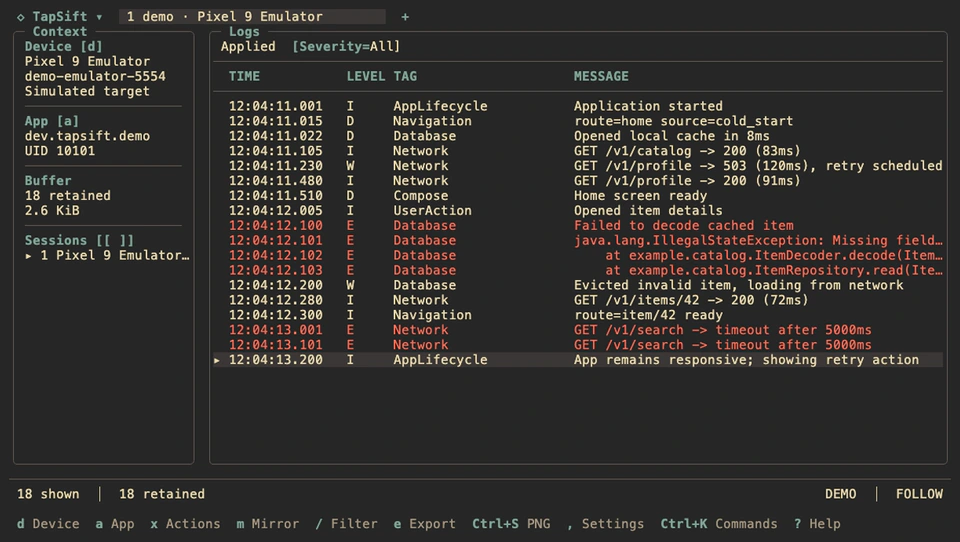
| GitHub Dark | github-dark | Default. Dark background, blue accent |
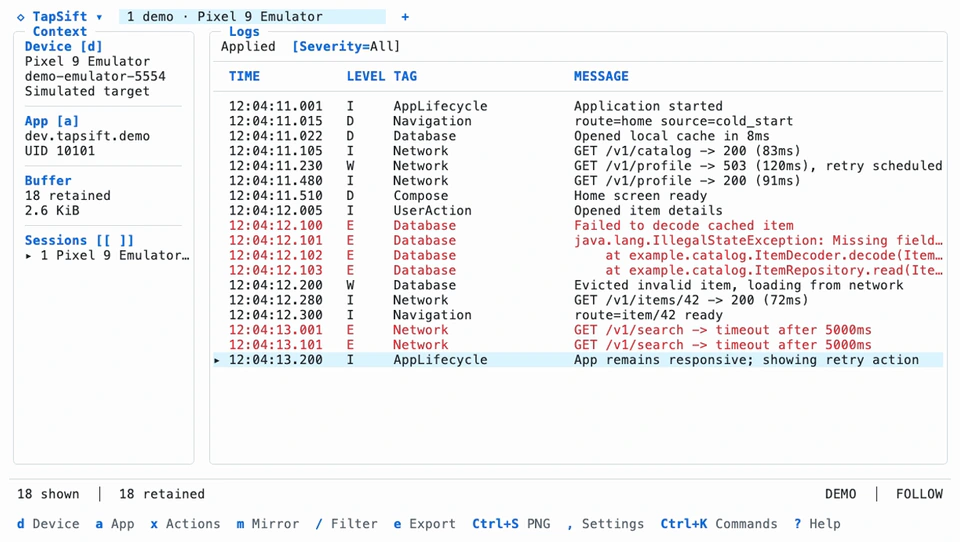
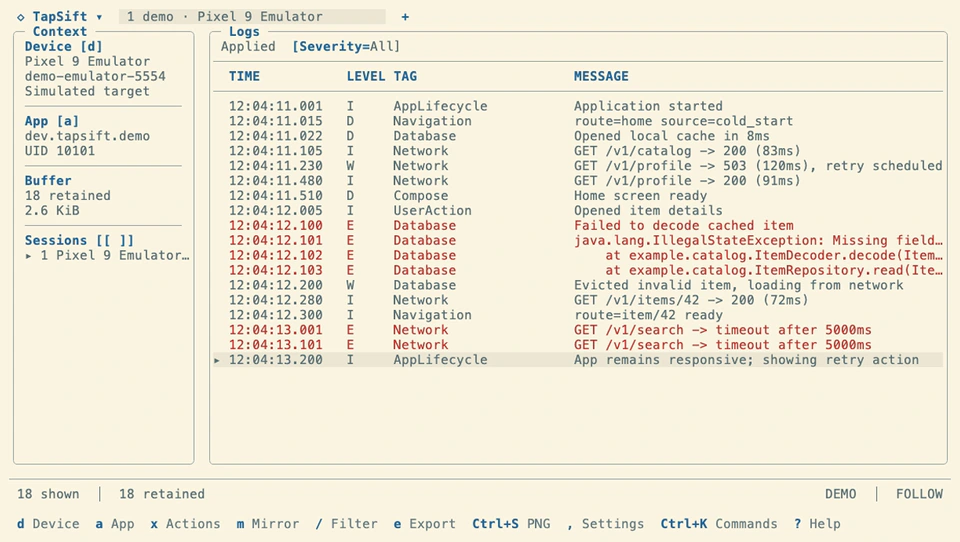
| GitHub Light | github-light | Light background, blue accent |
| Dracula | dracula | Purple-gray background, purple accent |
| Catppuccin Latte | catppuccin-latte | Light gray background, blue accent |
| Catppuccin Frappé | catppuccin-frappe | Slate background, soft blue accent |
| Catppuccin Macchiato | catppuccin-macchiato | Dark slate background, blue accent |
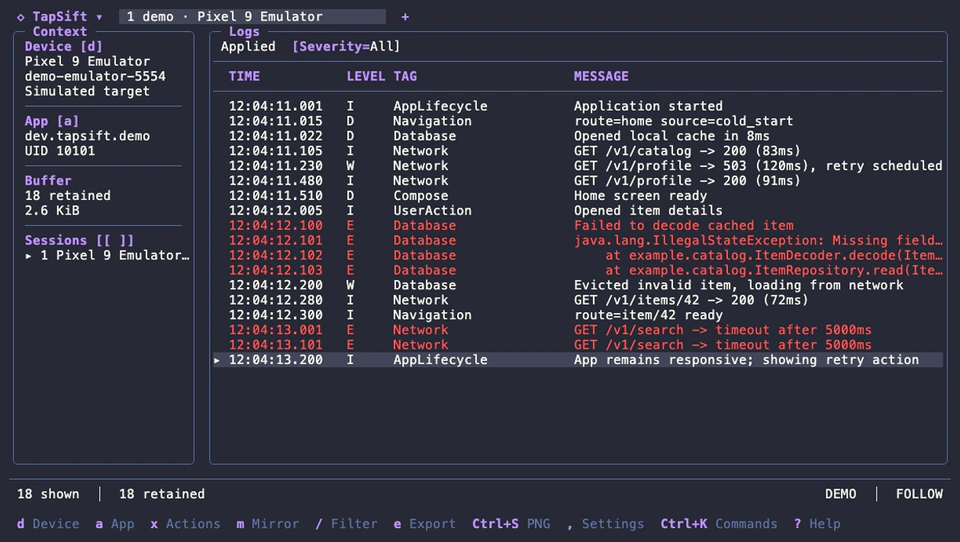
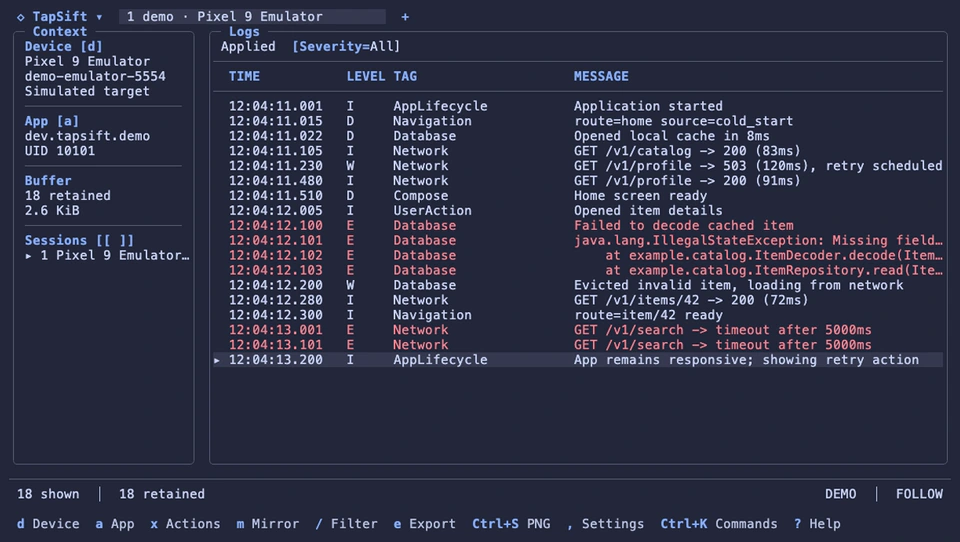
| Catppuccin Mocha | catppuccin-mocha | Deep navy background, pastel blue accent |
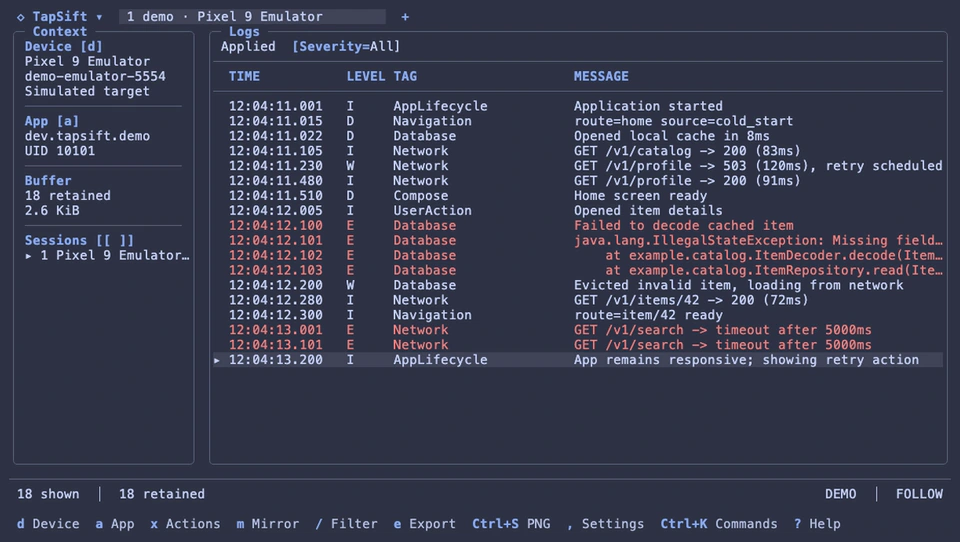
| Nord | nord | Cool gray-blue background, frost blue accent |
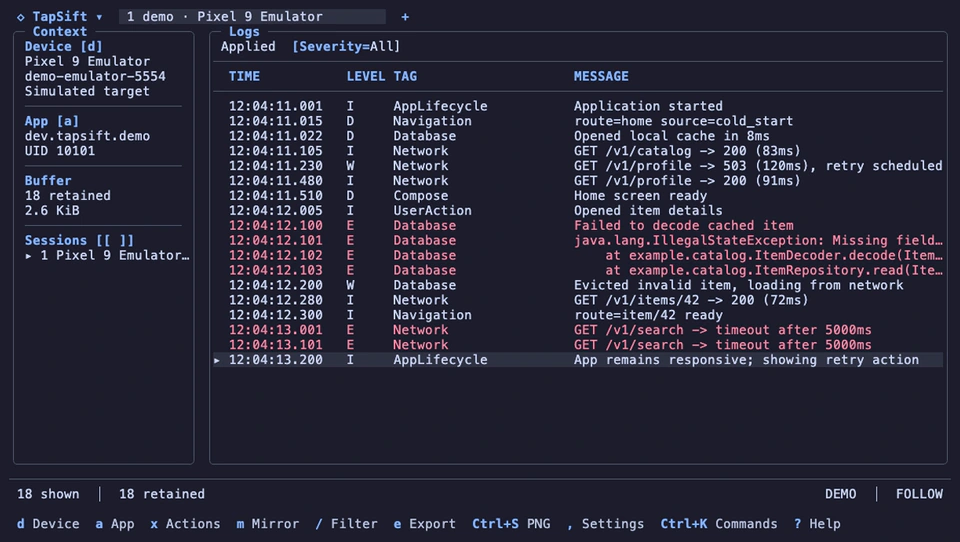
| Tokyo Night | tokyo-night | Deep navy background, blue accent |
| Tokyo Night Storm | tokyo-night-storm | Lighter navy background, blue accent |
| Solarized Dark | solarized-dark | Deep teal background, blue accent |
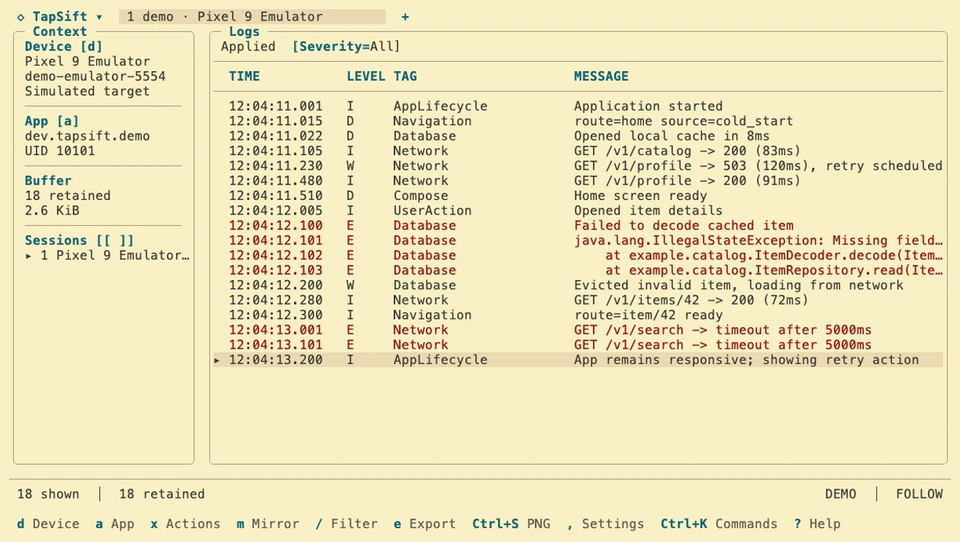
| Solarized Light | solarized-light | Cream background, blue accent |
| Gruvbox Dark | gruvbox-dark | Warm charcoal background, aqua accent |
| Gruvbox Light | gruvbox-light | Warm cream background, teal accent |
| Terminal ANSI | terminal | Your terminal's foreground, background and ANSI colors |
Gallery
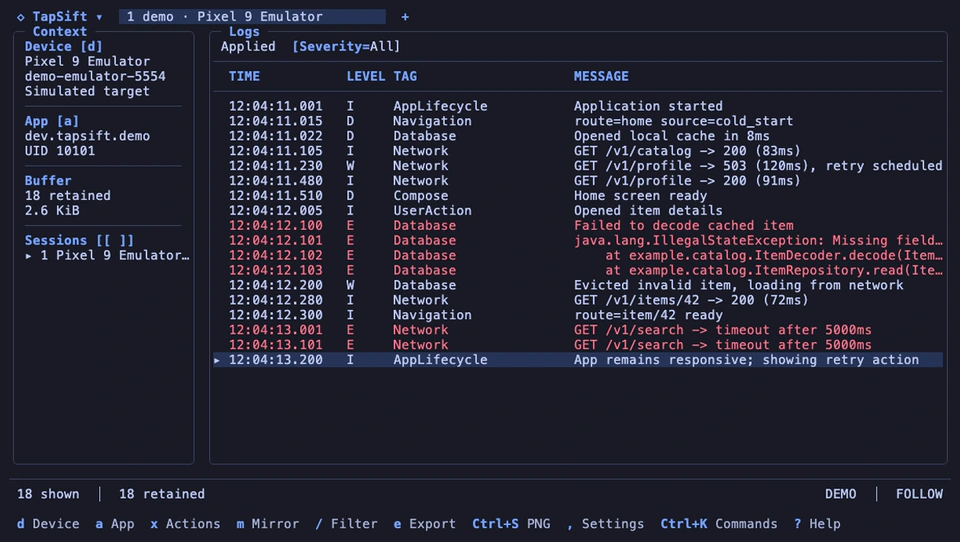
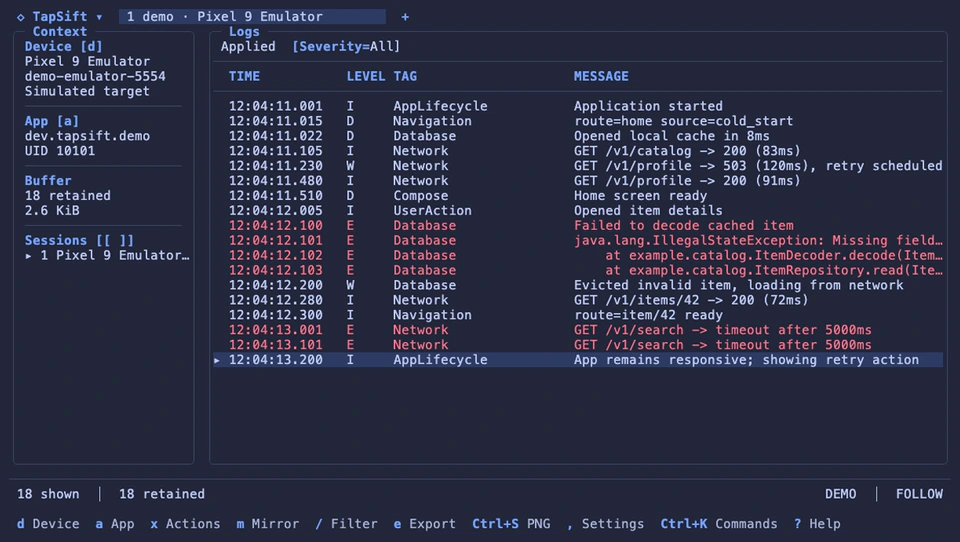
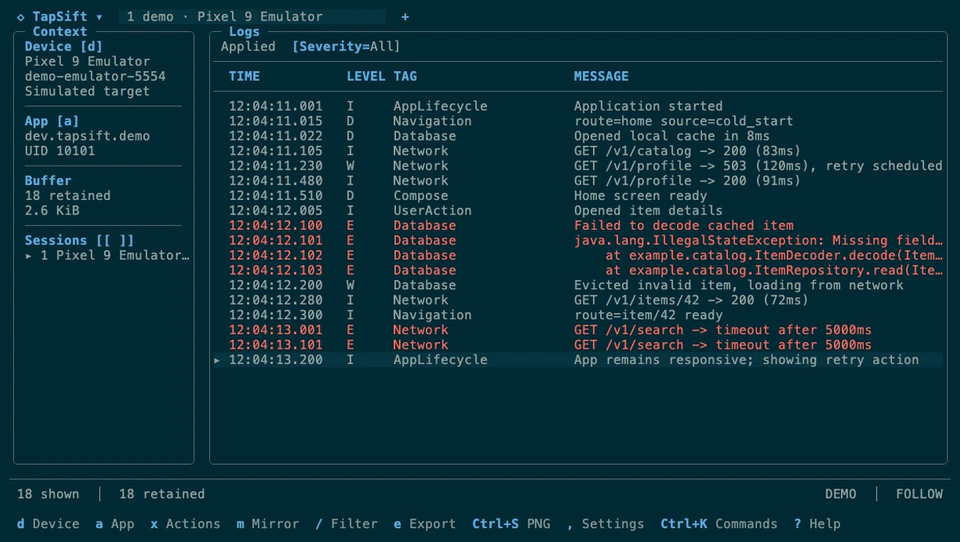
The same demo scene in each palette.
Import an iTerm2 preset
1. Export the preset from iTerm2: Settings → Profiles → Colors → Color Presets, then export.
2. Load it. In TapSift open Appearance → Import exported .itermcolors…, enter the path and press Enter. To load it at startup:
tapsift --demo --theme-file "$HOME/Downloads/My Preset.itermcolors"--theme-file takes precedence over --theme.
What TapSift accepts
- A regular UTF-8 XML plist with the
.itermcolorsextension, up to 64 KiB. - Unsuffixed Foreground, Background and Selection colors, plus ANSI 1 (red), 3 (yellow), 4 (blue) and 8 (bright black). Those ANSI colors drive errors, warnings, accents and muted text and borders.
- RGB components from 0 to 1. Display P3 converts to sRGB. Unnamed or legacy Calibrated RGB is read as sRGB. Colors are opaque.
- For presets with separate light and dark variants, the unsuffixed values are used.
Binary plists and Dynamic Profiles JSON are not read: export a color preset from iTerm2 instead. Entity references and custom DTDs are rejected. A failed Settings import leaves the current palette as it was. A failed startup import reports an error.
Log colors
Settings → Logs controls which rows or severity markers use the palette's colors. Severity letters stay visible in plain mode. TapSift respects NO_COLOR.
Limits
- A palette applies to the workspace for this run. Mirror pane colors follow it.
- Palettes are mapped from their upstream colors to TapSift's roles, and some text shades are adjusted for legibility. Credits: GitHub Dark and Light use Primer tokens. Dracula uses Dracula Classic. Catppuccin uses Latte, Frappé, Macchiato and Mocha. Nord uses Polar Night, Snow Storm, Frost and Aurora. Tokyo Night uses Folke's Night and Storm variants. Solarized uses Ethan Schoonover's palette. Gruvbox uses Morhetz's default-contrast palettes.
- How a palette looks depends on your terminal and its color support.